AI that explores your product so you don't have to
Crawl live web apps, map screen navigation architectures, and generate production PRDs and direct Figma Design SVG exports in minutes.
0ms Instant Demos
Pre-rendered offline bundles
Figma Design SVG
Direct vector drag & drop
Dual-Spec PRDs
1-Pager & Full Markdown/PDF
Grounded AI Assistant
Path answers from screen data
What Figgi Delivers: 4 Core Artifacts
Every crawl transforms raw web pages into structured visual architectures, comprehensive specifications, and interactive intelligence.
Visual Screen Navigation Topology
Inspect detected user journeys, full screen hierarchies, and connected navigation pathways.
Apple (Homepage)
apple.com
Store Online
apple.com/store
College Student Offer
apple.com/us-edu/store
Buy Mac & Trade In
apple.com/shop/buy-mac
Bag & Checkout
apple.com/shop/bag
Store Online
https://apple.com/store
42 links · 8 product cards · 3 promo banners
Primary digital storefront with category tiles, education savings banner, and order status utilities.
From URL to production specs in minutes
How Figgi autonomously explores your web app, discovers screen flows, and synthesizes complete product artifacts.
Target URL Input
Provide any authenticated or public web application URL. The platform securely connects to and prepares the target application for deep analysis.
Autonomous Mapping
Intelligently scans navigable routes, captures high-resolution UI states, analyzes interactive components, and synthesizes the visual flow graph.
Artifact Generation
Generates structured 1-pager and full PRDs, design-ready vector assets for Figma, and a navigation-aware assistant.
Stop spending days mapping web products by hand
Compare the friction of traditional manual screenshotting and spec writing against Figgi's autonomous pipeline.
The Manual Nightmare
- ✕4–8 hours wasted manually clicking through every page, taking screenshots, cropping them, and sorting filenames.
- ✕Tedious Figma drawing: Pasting dozens of screenshots onto a blank canvas and manually drawing vector connection arrows that take hours to organize.
- ✕Blind spots & orphan screens: Hidden sub-routes, modal overlays, and auth edge cases are easily overlooked.
- ✕Days writing PRDs from scratch: Conducting interviews and manually piecing together user flows and feature requirements.
- ✕Instantly stale: Documentation becomes obsolete the moment engineers deploy the next sprint release.
The Figgi Way
- ✓Autonomous quick crawl: Explores internal routes and captures full-resolution screens across your entire application automatically.
- ✓Direct Figma Design SVG export: Generates a clean vector SVG with organized screen layouts and flow connectors that you drag and drop directly into Figma Design.
- ✓Comprehensive coverage: Discovers key user journeys, actions, and navigation flows without missing secondary routes.
- ✓Grounded AI PRD generation: GPT-5 mini synthesizes 1-Pager and Comprehensive specifications grounded in verified screen states.
- ✓Continuous updates: Re-run a crawl in seconds before releases to keep product maps and specs continuously fresh.
Built for every role on your product team
Whether you're drafting specs, designing UX flows, verifying test coverage, or writing customer docs, Figgi accelerates your workflow.
Reverse-engineer products & generate instant PRDs
Quickly audit competitor features, document newly shipped functionality without writing specs from scratch, and deliver 1-page executive summaries to leadership.
Import full screen architectures directly into Figma Design
Download a structured vector SVG and drag it right onto your Figma Design canvas. Start design sprints with every live screen, title, and connection path already arranged.
Map user flows & spot broken journeys
Traverse complex web apps, uncover unlinked pages, detect broken navigation paths, and quickly document undocumented systems.
Write accurate help docs with grounded AI
Ask the AI Assistant for the exact click sequence required to complete any user action. Ground your knowledge base in verified screenshots and live URLs.
Drag-and-drop vector flows straight into Figma Design
No plugins, extra tools, or tedious setups. Figgi compiles your crawl into a structured, multi-frame vector SVG ready for your Figma canvas.
Direct Figma Design Drag-and-Drop
The exported SVG creates editable Figma frames, razor-sharp screenshot viewports, and vector connection paths that can be moved, grouped, and restyled directly in Figma Design.
Crawl Web App
Enter any web app URL into Figgi to map user flows, discover screens, and capture navigation hierarchies.
Export to Figma (SVG)
Click Export to Figma (SVG) in your dashboard to generate a clean, vector-based export ready for Figma Design.
Drop into Figma
Drag and drop the downloaded .svg onto your open Figma Design canvas. It populates as editable frames instantly.
Private, secure, and built for modern teams
Figgi is designed from the ground up to respect your data, safeguard sessions, and integrate cleanly with your existing workflows.
Isolated Environments
SandboxedEach crawl runs in an ephemeral, isolated browser context that terminates automatically after analysis, ensuring zero cross-session data leakage.
Zero Credential Retention
Privacy FirstAuthentication tokens, session cookies, and login credentials are held strictly in temporary memory during capture and are never permanently saved.
Local-First Ownership
Your DataAll generated deliverables—vector SVGs, PRD documents, and screen captures—are compiled directly for your team with zero vendor lock-in.
Universal Web Compatibility
Zero SetupAnalyze modern web applications, staging environments, internal dashboards, and public websites without installing extensions or modifying your codebase.
Explore pre-crawled interactive projects
Test full graph navigation, screenshot inspection, and AI assistant conversations with zero wait time.
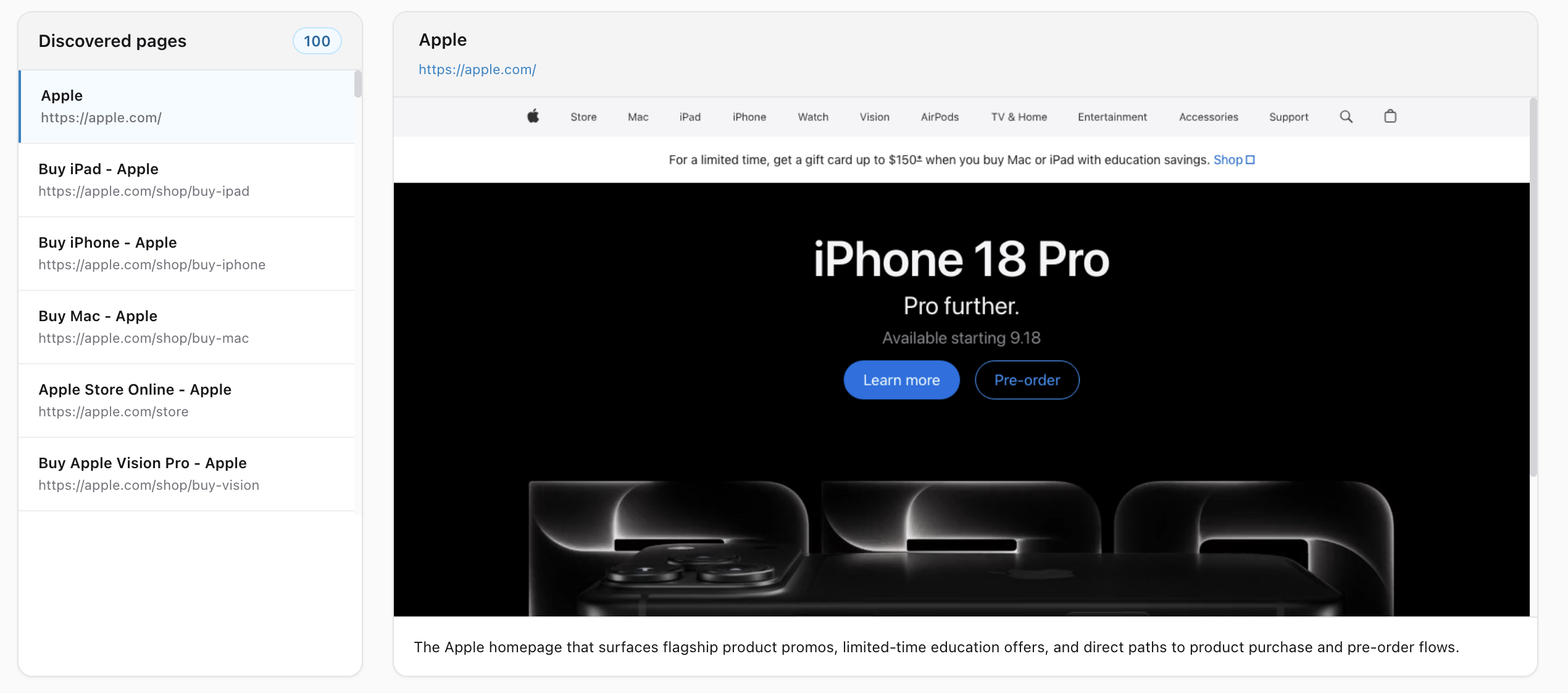
Apple.com
Flagship Hardware Storefront & Education Funnel

Store landing, MacBook configurator, Education promos, Trade-In calculator, 100 screenshots
Aritzia.com
E-Commerce Fashion Catalog & Cart Checkout

Category mega-menus, Color Drops collection, Cart summary drawer, Multi-variant product cards
Got questions? We've got answers
Everything you need to know about crawling, Figma Design export, and AI document synthesis.